Guarantee & GARAN: Overview
Goal: You know which of the two guarantee features applies to your store, and where to start.
Under the EU rules on consumer guarantees (Directive (EU) 2024/825 and Implementing Regulation (EU) 2025/1960), sellers have to give customers information about the legal guarantee, and producers may add an optional durability label. The app helps you show both on your storefront. Open Guarantee & GARAN labels in the left navigation.
Note: This app is a technical tool, not legal advice. Check with your legal advisor what applies to your products.
The two features
| Legal guarantee notice | GARAN durability label | |
|---|---|---|
| What it is | The official Annex I notice about the legal guarantee, shown in the shopper’s language. | The EU label for a producer’s voluntary durability guarantee. |
| Required? | Show it if the rules apply to your sales. | Optional. |
| Where it appears | Product page, cart and order confirmation e-mail. | Product page, cart and order confirmation e-mail. |
| Set up in | Legal Guarantee Notice | GARAN Labels |
You can use one or both.
Quick start
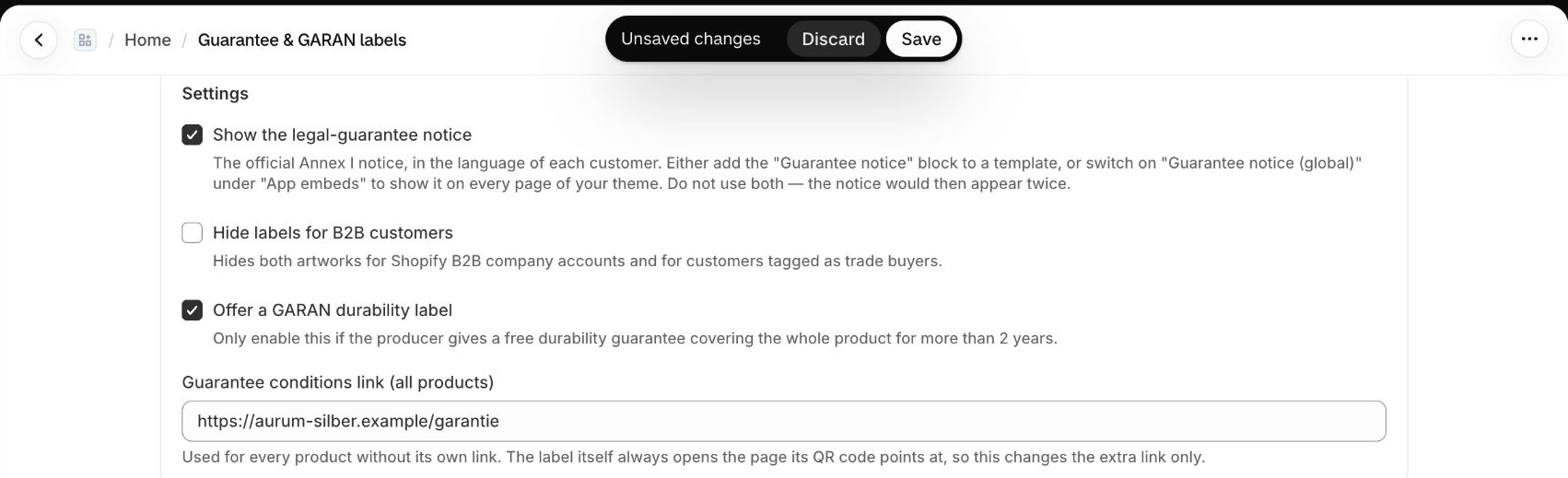
- Open Guarantee & GARAN labels and switch on Show the legal-guarantee notice.
- Add the notice to your theme: either the Guarantee notice block on your product template, or the Guarantee notice (global) app embed. Use only one of them.
- Optional: switch on Offer a GARAN durability label and add GARAN data to the products that qualify.
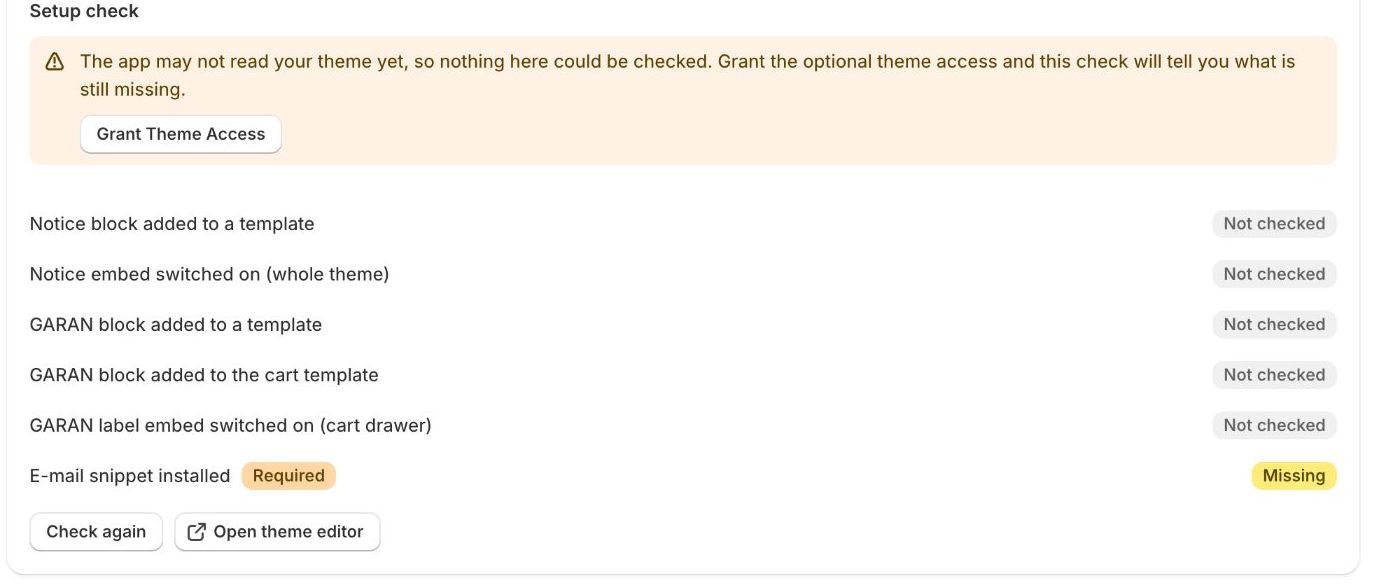
- Use the Setup check on the same page to see what is still missing.
- Optional: add the snippet to your order confirmation e-mail.
Plans
The guarantee features are available on every plan.
B2B stores
Switch on Hide labels for B2B customers to hide both the notice and the label for Shopify B2B company accounts and for customers tagged as trade buyers.
