Plans & Features
Plans & Features
The app has three plans: GPSR Free, GPSR Basic and GPSR Pro. Plans are billed through Shopify. Current prices are shown on the app’s listing in the Shopify App Store and on the pricing page in the app.
Feature overview
| Feature | Free | Basic | Pro |
|---|---|---|---|
| Compliance data on products (all fields) | ✓ | ✓ | ✓ |
| Storefront widget, multiple designs | ✓ | ✓ | ✓ |
| Safety and hazard information | ✓ | ✓ | ✓ |
| All EU languages for the widget | ✓ | ✓ | ✓ |
| Legal guarantee notice and GARAN labels | ✓ | ✓ | ✓ |
| Bulk editing | ✓ | ✓ | |
| Entity CSV import and export | ✓ | ✓ | |
| Remove the “GPSR Compliance” watermark | ✓ | ✓ | |
| Automated rules | 1 rule | 1 rule | Unlimited |
| Hide the widget for visitors outside the EU | ✓ |
See Bulk Editing, Entities, Automated Rules and Settings for the details of each feature.
What you see when a feature is not in your plan
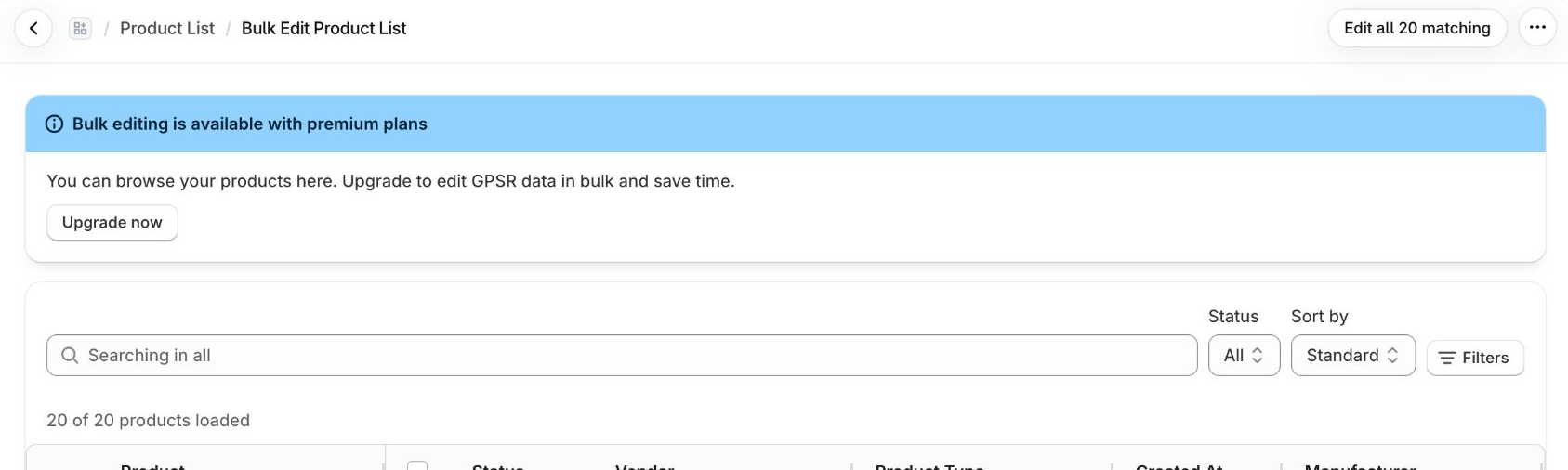
When you use a feature from a higher plan, the app shows an upgrade prompt instead of running the action. Nothing is changed in your store.
Switching plans
- Open Settings in the app.
- In the Current Plan card, click Switch Plans.
- Pick a plan on the Shopify pricing page and confirm.

The change takes effect straight away.
Cancelling or downgrading
If you cancel a paid plan (or uninstall the app), you keep its features until the end of the period you already paid for. The dashboard shows the date. After that your store moves to the Free plan:
- Data you already entered stays in your store.
- Bulk editing becomes browse-only and entity CSV import/export is locked.
- The watermark is shown again, and Hide for non-EU is switched off.
- Existing automated rules keep working and can be edited, but you can’t add new ones beyond the Free limit.
Last updated:
Recent commits
